
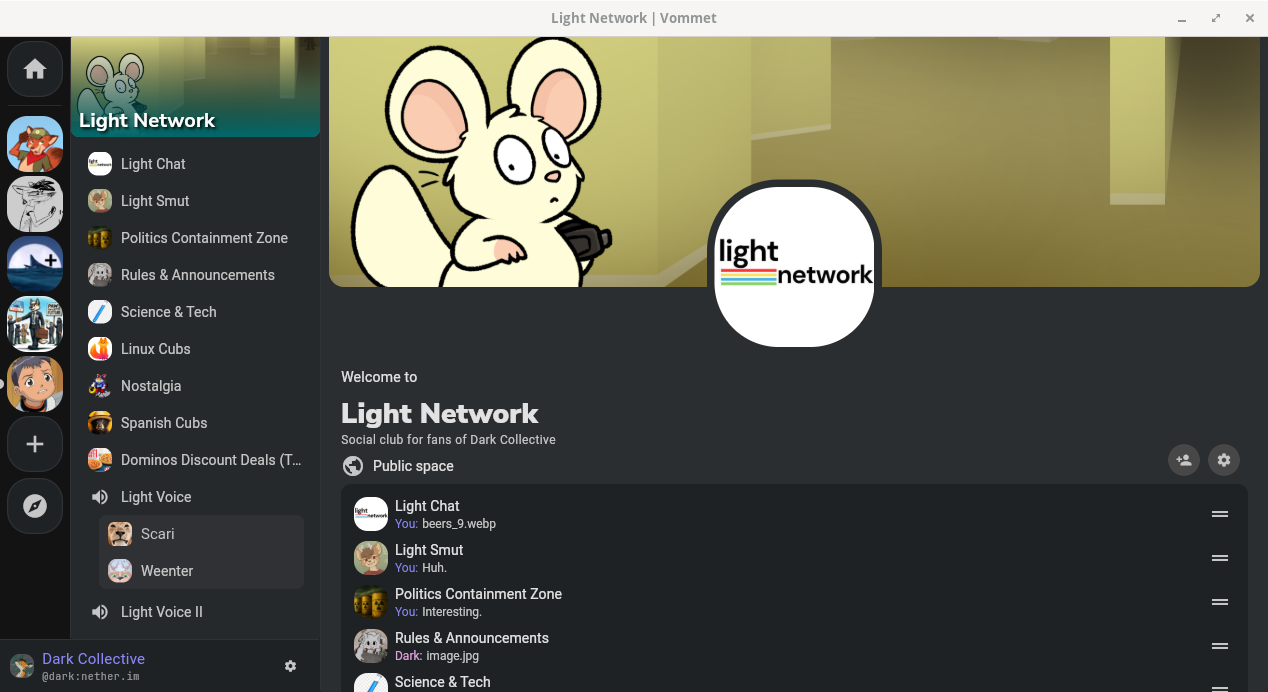
Most of Vommet's code is written with the help of an LLM. Commet doesn't accept LLM contributions, and we respect that: nothing from this fork is ever sent upstream. Please report Vommet bugs on our tracker or in #vommet:nether.im, never on Commet's.
A promise from the maintainer
Miss something from Discord? Complain. I'll fix it.
The whole point of Vommet is to get people off Discord and onto Matrix. That only works if nothing keeps nagging you back. So if you hit a wart, a bug, a missing feature, a UI papercut, anything that makes you wish Vommet were more like Discord or Telegram, come and say so in #vommet:nether.im, and I will personally fix it for you.
That includes the small stuff. "The emoji picker feels wrong" is a perfectly good complaint. You don't need to know what the fix is, or file a ticket, or dress it up. Just tell me what you expected to happen, and what happened instead.
Vommet keeps a public list of every change it makes on top of Commet, so you can see what has been fixed already in VOMMET_CHANGES.md.
Opens fast, even on huge accounts
Vommet supports sliding sync, the modern way for Matrix apps to load your rooms. Instead of downloading everything you've ever joined before showing anything, it fetches the rooms you're looking at first and the rest in the background.
- Turn it on under Settings › Experiments › Sliding sync. It's off by default while we test it.
- Works on homeservers that support it, including matrix.org. On others, Vommet quietly falls back to regular sync.
- Built on our fork of Commet's Matrix SDK, vommet-matrix-dart-sdk.
It's quick to start, too. Like Commet, Vommet is a native Flutter app, not an Electron one, so it doesn't carry a whole web browser around with it. That means a smaller download, less memory, and no second Chromium humming away in the background.
Bring your stickers with you
Moving from Telegram or Signal shouldn't mean leaving your sticker collection behind.
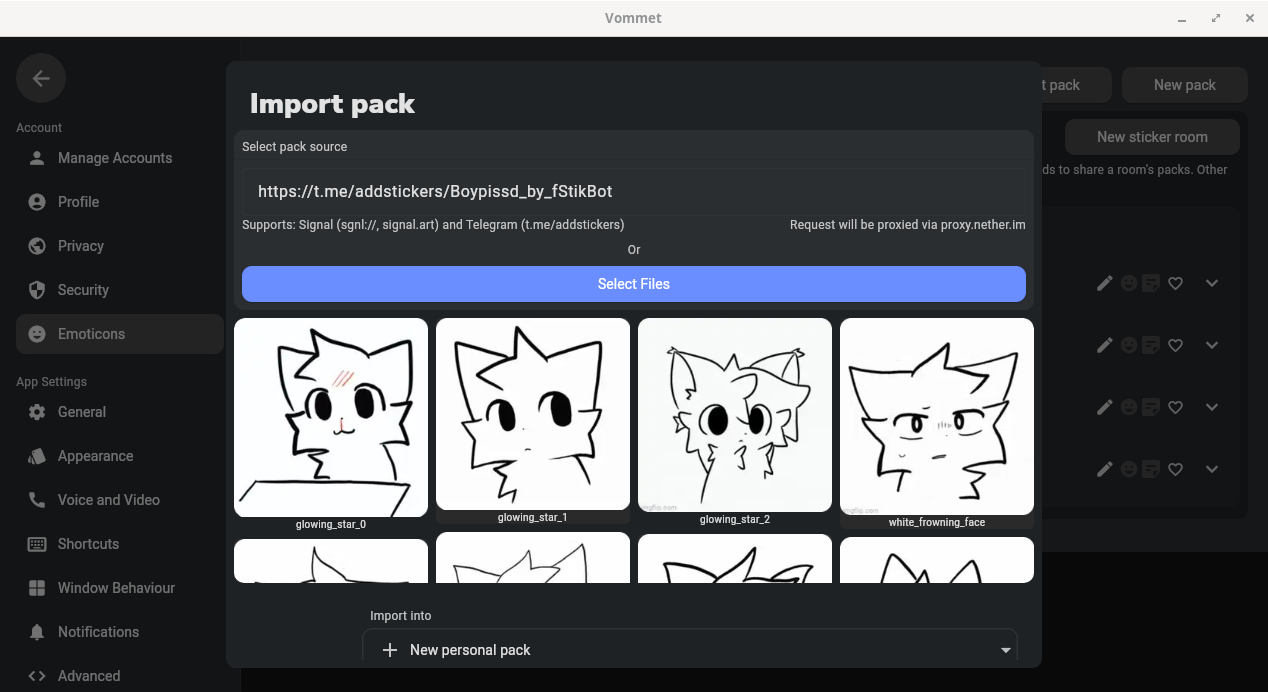
Telegram sticker import
Paste a t.me/addstickers/… link, check the preview, and import the whole pack in one click. Animated Telegram stickers are converted to animated WebP so they play in every Matrix client.
Signal packs work too. Requests go through our own proxy, so your client never talks to Telegram or Signal directly.
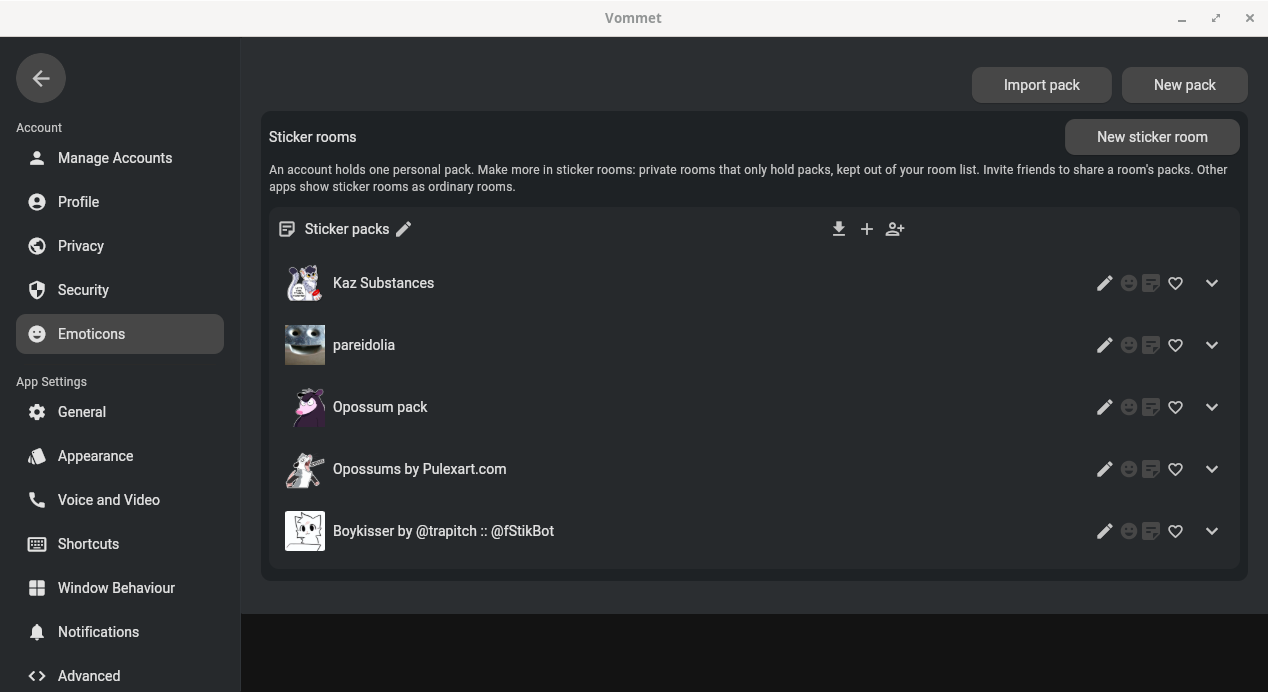
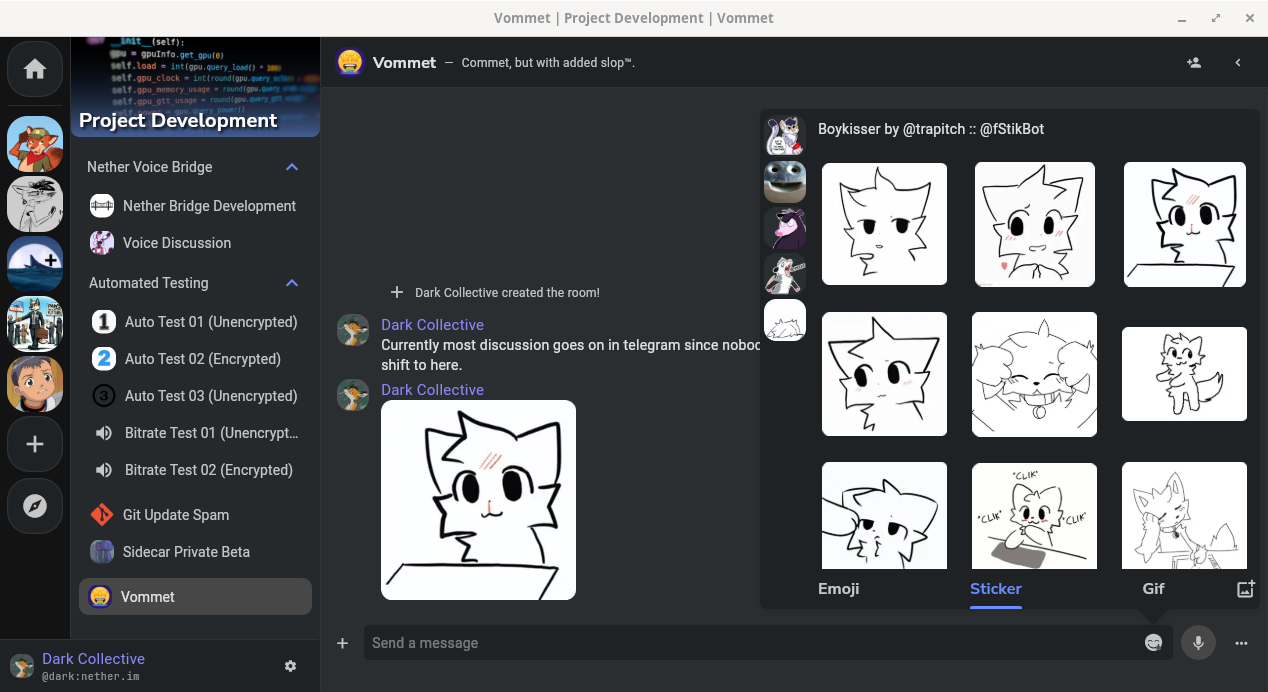
Sticker rooms
Your account holds one personal pack. For more, make a sticker room: a private room that only holds packs and stays out of your room list.
Invite friends to a sticker room and they get all its packs too. Manage them under Settings › Account › Emoticons.
One tap to send
Imported packs show up in the sticker picker next to emoji and GIFs, in every room. Pick one and it's sent.
Stickers are ordinary Matrix stickers, so friends on Element and other clients see them too. They're drawn at full resolution, so they stay sharp on a phone screen instead of going blurry.
Find your people
Matrix is full of public communities. Vommet helps you find them.
Explore rooms
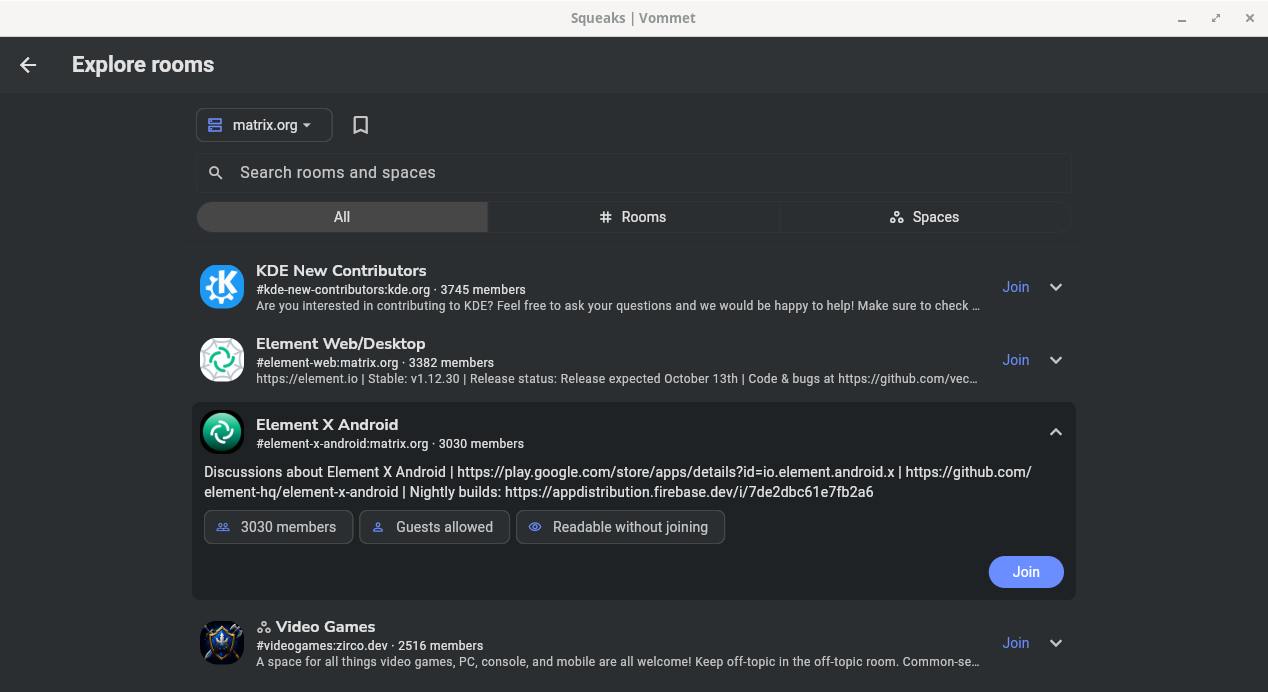
Tap the compass in the sidebar to browse public rooms and spaces on any server, with search and a filter for rooms or spaces.
Tap a result to see more before you join: its rooms, how many people are there, and whether you can read along as a guest. Save the servers you like for next time.
Say it out loud
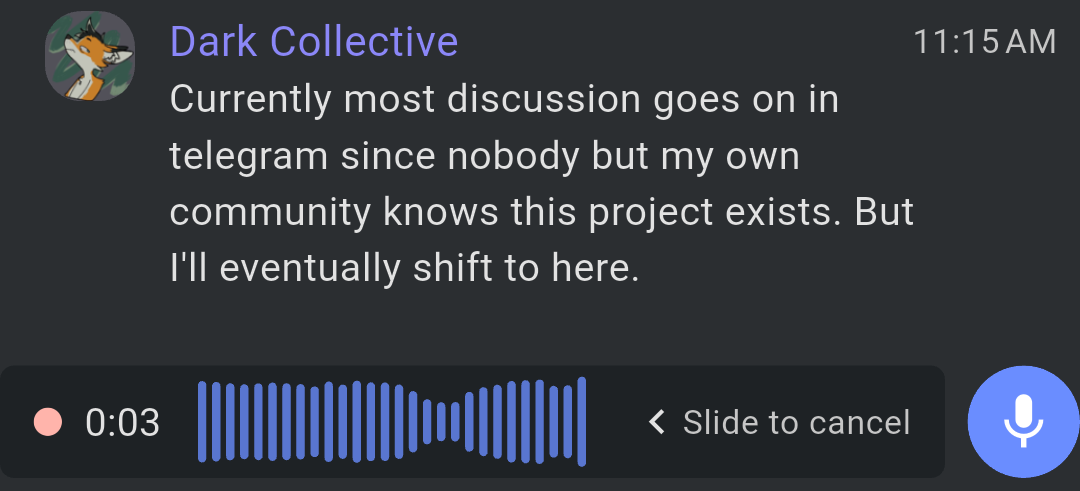
Sometimes typing is too slow. Send a voice message instead.
Voice messages
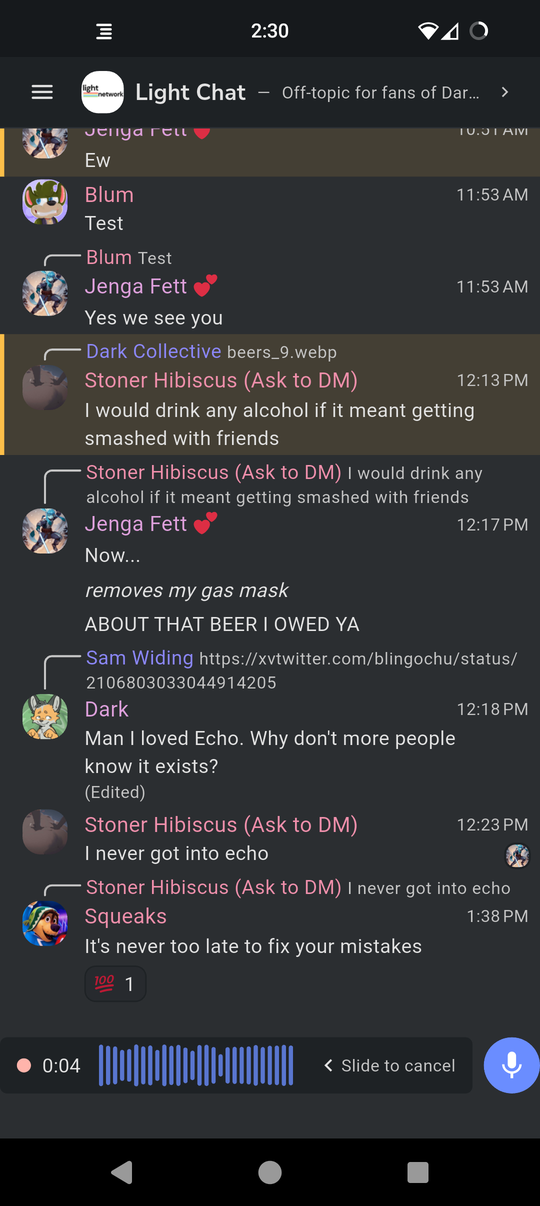
Hold the microphone to record and let go to send. Changed your mind? Slide left to cancel.
Voice messages you receive play right in the chat with a waveform, and they work with Element and other Matrix apps both ways.
Pictures, in one piece
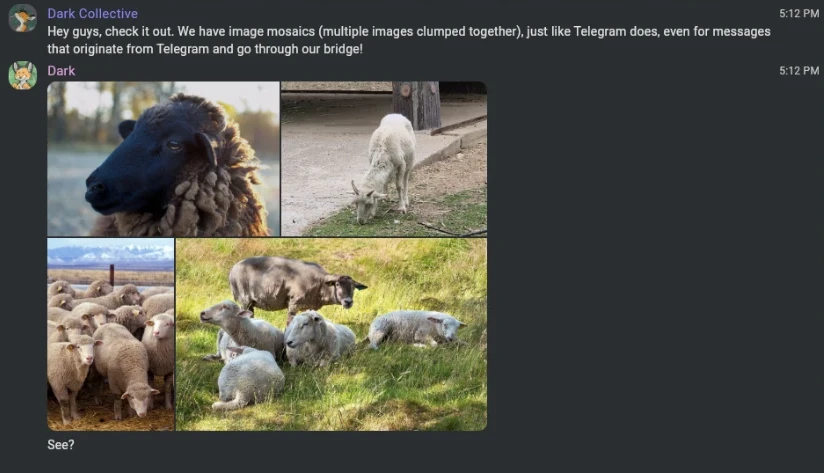
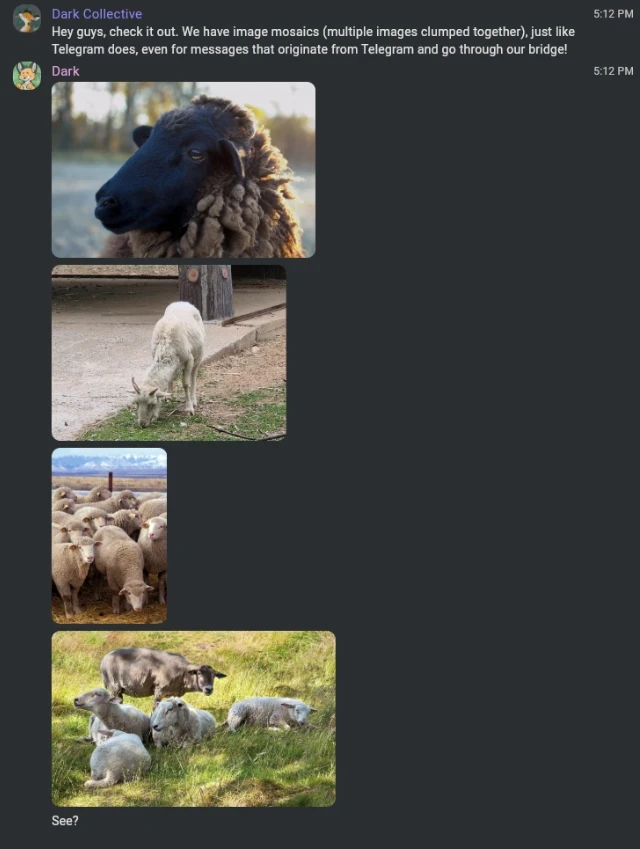
Post several pictures at once and Vommet shows them as a single Telegram-style mosaic, not a tall column of images. It works for pictures that arrive through a bridge too.
On your phone, too
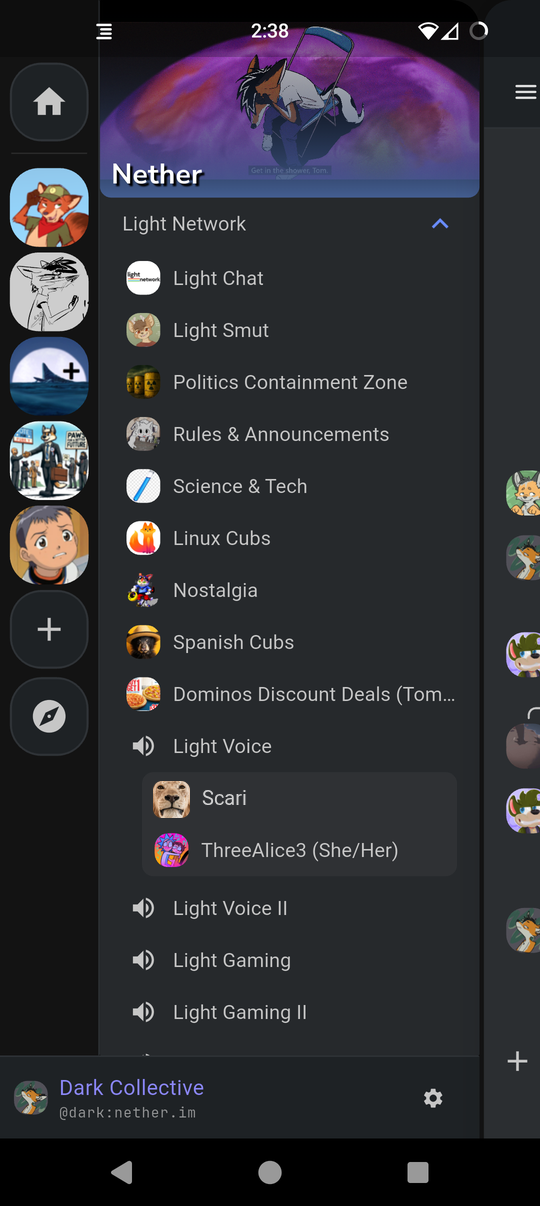
The same Vommet on Android: your spaces, voice channels and chats, built for a phone screen.
Talk with your Discord friends
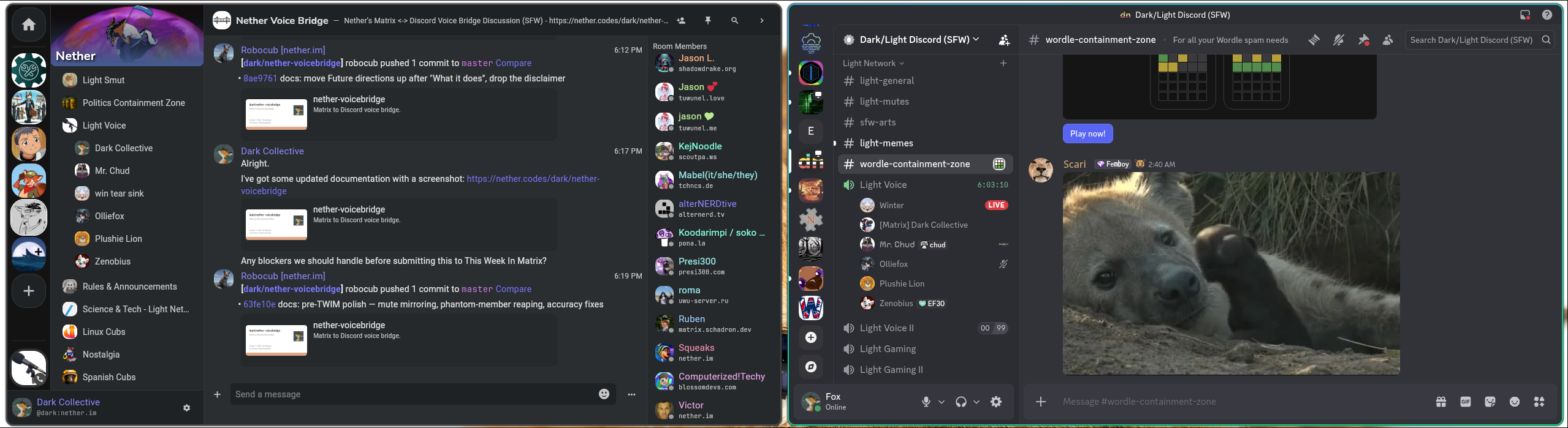
Vommet works great with the Nether Voice Bridge, a separate project that links Discord voice channels with Matrix calls. Everyone shows up as themselves on both sides.
What's different
Everything Commet does, plus the features above and these. Most are in tester builds now; the full list, with what's merged and what's still in testing, is VOMMET_CHANGES.md.
Sign in the modern way
On servers with single sign-on you get one big button, and the password form is a tap away. On OIDC servers, sign-in opens in your browser and comes straight back to the app, the way Element X does it.
Screen share with sound
On Linux, pick what goes with your screen: no audio, every app except Vommet, or a single app. Windows shares all system audio. Calls run on the newer WebRTC stack that upstream is moving to, carried early.
Noise suppression
An experiment: Settings › Experiments › Noise suppression cleans up your microphone. Off by default while we tune it.
Starts fast on big accounts
The splash stays until rooms are loaded, rooms load one at a time, and lists build only the rows on screen. On a 300-room account the room list is up in under a second, down from one to three.
DMs that are DMs
Accepting a DM invite files it as a direct message instead of "Group with …", and any room can be marked as a DM or not from its menu.
Names and nicknames
Change your display name from your own profile menu. Set a nickname for someone else that only you see.
Calls that behave
Someone joining a call after you no longer gets a tile that spins forever, and their speaking indicator works. Encrypted calls are on by default.
Call controls like Discord
A "Voice Connected" card while you're in a call, and mute and deafen buttons with device menus right next to your name.
What's new, after every update
After an update, Vommet lists what changed since the version you last used. Settings › About › What's New has the whole list.
Matrix links open in Vommet
matrix: links from other apps open the room or profile in Vommet, and so do matrix.to links on Android.
Save and copy any picture
Right-click (or long-press) a picture to save it or copy it to your clipboard. Banners and avatars on profiles and spaces open full size. Press and hold a sticker to preview it.
More to try in Experiments
Settings › Experiments has more, all off by default: a profile card with status and presence plus microphone and output volume sliders; starting and joining calls in ordinary group chats and DMs, even across homeservers; dragging spaces in the sidebar on desktop and pinning any room to it; forwarding messages, keeping drafts, and sending while offline; and message timestamps that everyone sees in their own time zone (type <t:UNIX>).
Room banners
Ordinary rooms get banners too, not just spaces, with a glow setting for how they blend in. An experiment goes further, like Discord: banner headers and menus, a member list grouped by who's online, and resizable panes.
Tidier spaces
Search when adding existing rooms to a space, and remove a room from a space with a right-click.
Copy a selection
On desktop, copy just the part of a message you selected.
Pictures that load properly
Cached pictures show at full size after a restart, wide banners get a proper preview instead of a blurry square, and a missing avatar doesn't throw an error.
Notifications on Android
UnifiedPush out of the box, no Firebase. A notification that can't fetch its message says "New message" instead of showing an error.
Our own infrastructure
GIF search and sticker import go through our proxy, not Commet's servers. A welcome screen on first sign-in tells you where to send feedback.
Diagnostics you opt into
Asked once after sign-in, and in Settings › Privacy. Pseudonymous, never message content; the privacy page explains it, and everything it can record is listed at proxy.nether.im/telemetry/schema.
Coming next
Everything planned lives on the issue tracker; each item links to its issue, where you can argue for it or against it. The highlights, by area:
Voice and calls
- Soundboards: play short clips in calls from sound packs that live in rooms, like sticker rooms. Room admins can turn them off or limit which sounds are allowed, and people on other Matrix apps still hear them. #95
- Voice isolation on par with Discord: the noise-suppression experiment is in testing; next is making it as good as Discord's. #3
- Screen share with sound on Windows (Linux has it) #4, and screen sharing that works in SteamOS Game Mode. #65
- Voice calls in ordinary text rooms, like Discord. Starting and joining one from any chat is an experiment in testing; making it the default is next. #8 A one-click chat button on voice rooms goes with it. #14
- See which spaces have people talking: a voice-activity indicator on spaces and subspaces. #94
- Several screen shares at once, with control over each one's audio. #91
- Voice messages transcribed to text, like Telegram. #70
Chat
- Text formatting like Element: a toolbar, link insertion and the rest. #54
- Your own nickname per space and per room. #69
- Lots of polish: unsent drafts kept per room #33, see who reacted #34, mentions and replies to you highlighted #36, composer shortcuts #37, mutual rooms on profiles #68, named and coloured power levels. #67
- A sidebar that works like Discord's: pin any room, with folders #104, drag spaces to reorder #103, unread DMs first #105, and one row per person even when you share several DM rooms. #99
- Saved messages: a chat with yourself for links and notes, like Telegram. #97
- Pictures everywhere: open avatars and banners in the viewer, and right-click any image to save or copy it. #106
- Data saver: control what downloads on mobile data, and clear the cache easily. #75
- Pick your notification sound. #74
Community
- A friends list, like Discord's: who's online, their nicknames, and who's in a call right now. #93
- Moderation tools on par with Discord. #59
- Community plugins and a built-in plugin store, Vencord-style but first-class. #66
- Profile badges, Discord-style. #87
- For server admins: show your homeserver's support or donation link #88, and admin tools for people who run one. #89
- Open sticker links from Telegram and Signal straight into Vommet on Android. #18
Encryption and sign-in
- Encryption onboarding that explains cross-signing and the recovery key in three pages or fewer #71, and a warning before you sign out of your last device, with a key export. #72
Installs and updates
- Store listings: Vommet on Flathub, F-Droid and Google Play, so installing is one tap and updates arrive on their own.
- Updates from inside the app, opt-in: a signed release feed, an update bar, and install on Windows and Android, following your channel (stable or testing). #98 #55 Until then, Android users can point Obtainium at the releases page. #90
- System tray icon: close the window and keep running. #17
- iPhone builds, once we have a Mac to build on. #43
- Fast on small machines: tuned for a Pinebook Pro, with a fair benchmark against Commet published. #63
Download
Vommet is in early testing. Builds are pre-releases: expect rough edges, and tell us what breaks in #vommet:nether.im.
Windows
Portable zip for 64-bit Windows: unzip and run vommet.exe, no installer. It isn't signed yet, so Windows SmartScreen will warn: choose "More info", then "Run anyway".
The current tester release is testing-2026-10-09b, which has everything on this page. Each release lists SHA-256 checksums next to the files. Flathub, F-Droid and Google Play listings are on the way; until then, grab new builds from the releases page. There are no macOS or iPhone builds yet, from Vommet or from Commet.
Support Commet
Vommet is a small patch stack on top of Commet; the overwhelming majority of the code is theirs. If you like it, consider donating to Commet.